
Solar Pro Lesson 2: A 97.2 kW ground mounted plant in five wizard steps
The five Solar Pro wizard steps, location, module and capacity, installation type, rows and spacing, tilt and wiring, build a virtual 97.2 kW ground mounted plant in Mokpo.
Lesson summary
The narration is in Korean with English subtitles (CC). The text below follows the narration. All examples are virtual plants.
Lesson 2 builds a first plant with the five step wizard. Press New in the File menu, then Yes when asked whether to start over. The example is a virtual ground mounted plant in Mokpo.
Step one is the location: weather data Additional Points, country Korea, area Mokpo, which shows latitude 34° 49' N and longitude 126° 23' E. Step two is the module and capacity: choose a 360 W module from the maker and model lists, enter 97.2 kW under calculate by capacity and press Calculate to get 270 modules. Step three is the installation type, where Ground based is chosen for flat land.
Step 4A divides the rows: 6 rows, each 15 modules wide and 3 high, 45 modules per row, 270 modules and 97.2 kW in total. Step 4B is the row spacing. The initial B value is 2 m, and the Guide interval below is 5.936 m, the pitch from front edge to front edge at which the front row's shadow does not reach the back row for three hours before and after solar noon on the winter solstice. That value goes into B.
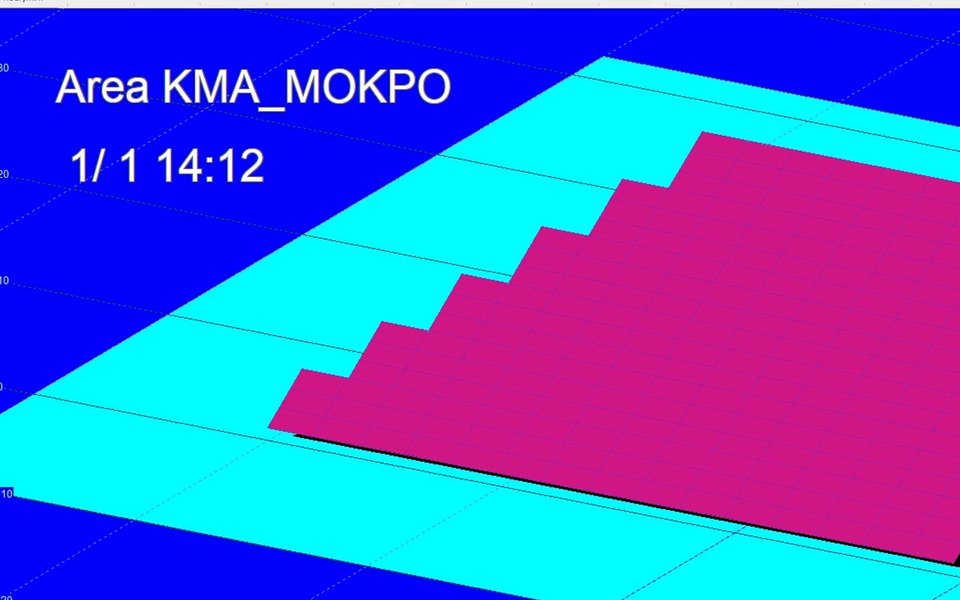
Step five is tilt 30° and azimuth 0°, due south, with 15 strings in parallel and 18 modules in series on one inverter. Press OK and the scene is built right away, with the location name changed to Mokpo and 270 modules in 6 rows. The Time Tracking Bar in the Shading menu adds a bar at the top, and dragging it shows the shadows at noon and 2 p.m. not reaching the back row. Save As in the File menu stores the scene and wiring in one .sol file.
Location, module and capacity, installation type, rows and spacing, tilt and wiring: these five steps create one ground mounted plant. The guide interval is only based on three hours around the winter solstice, so the land slope and setback rules have to be checked separately. The scene from this lesson is the Solar Pro practice file in the lesson files.
Screen menus and key numbers
Screen menu names
| On screen | What it is |
|---|---|
| File · New | New scene |
| Wizard | Five step wizard |
| Additional Points | Extra weather point set |
| Calculate by capacity | Module count from capacity |
| Ground based | Ground mounted installation |
| Step 4A · Array | Row layout |
| Step 4B · B | Row spacing (pitch) |
| Guide interval | Recommended pitch for the winter solstice |
| Tilt · Azimuth | Tilt · azimuth (due south 0°) |
| Time Tracking Bar | Time bar |
| Save As (.sol) | Save the scene and wiring |
Key numbers
| Item | Value |
|---|---|
| Location | Mokpo, 34° 49' N, 126° 23' E |
| Module · capacity | 360 W × 270 modules = 97.2 kW |
| Array | 6 rows × (15 wide × 3 high = 45 modules) |
| Row spacing | guide 5.936 m (pitch), clear gap about 3.36 m |
| Tilt · azimuth | 30° · 0° (due south) |
| Wiring | 1 inverter, 18 in series × 15 in parallel |
Frequently asked questions
How many steps does the Solar Pro wizard have?
Five: location, module and capacity, installation type, rows and spacing (4A and 4B), then tilt and wiring. The scene is built as soon as they are entered.
Is the 5.936 m guide interval the clear gap between rows?
No. It is the pitch from the front edge of one row to the front edge of the next. In the lesson example the clear gap between rows is about 3.36 m.
Does following the guide interval remove all shading concerns?
The guide interval is based on three hours around solar noon on the winter solstice. The land slope and setback rules must be checked separately.
Lesson files
All files are free to download right away
No sign up and no subscription needed. If the lessons help you, please consider subscribing to our YouTube channel.
Solar Pro practice file
The virtual 97.2 kW ground mounted plant from basic lesson 2 (.sol) with a readme.
Download (ZIP 12 KB)
Other lesson files and sample reports are on the Lesson files page. Files are for study and reference. Numbers in the examples come from virtual plants or cases with the location removed. Most files are in Korean.